After years of running my Raspberry Pi Model B as a home server, I started noticing performance degradation and occasional thermal throttling during peak usage. My Pi was consistently hitting temperatures of 75-80°C during intensive tasks, which was concerning for its longevity. That's when I discovered the Geekworm P173 heavy-duty aluminum alloy case, and it's been a game-changer for my setup.
The Overheating Problem
My Raspberry Pi Model B was struggling with heat dissipation. Without adequate cooling, the CPU would throttle performance to prevent damage, leading to slower response times and occasional instability. Traditional plastic cases offered no heat dissipation, and even basic metal cases didn't provide sufficient cooling for my workload.
During stress tests, my Pi's temperature would climb to 78-80°C, triggering thermal throttling and reducing performance. This was particularly problematic when running multiple services simultaneously or during periods of high disk activity.
Enter the Geekworm P173 Solution
The Geekworm P173 case caught my attention for several reasons:
- Heavy-duty aluminum alloy construction for superior heat dissipation
- Complete coverage with access to all ports and interfaces
- Mounting holes for secure installation
- Passive cooling design with no moving parts to fail
- Compatibility with Raspberry Pi Model B
The case features a robust aluminum alloy design that acts as a heatsink, drawing heat away from the CPU and other critical components. Unlike active cooling solutions that can fail or create noise, the passive design relies on the thermal conductivity of aluminum to dissipate heat naturally.
Installation and Setup
Installing my Pi in the P173 case was straightforward:
- Carefully positioned the Raspberry Pi in the case
- Connected all cables before securing the Pi in place
- Ensured proper alignment of ports with the case openings
- Screwed on the top cover, which also acts as part of the heatsink
The case design allows for easy access to the GPIO pins and all ports, making it convenient for connecting peripherals and expansion boards. The mounting holes make it easy to secure the case to a surface if needed.
Temperature Results: A Dramatic Improvement
The difference was immediately noticeable. After installing the P173 case, I ran the same stress tests and monitored temperatures:
Before P173 Case
- Idle temperature: ~65°C
- Load temperature: 75-80°C
- Thermal throttling: Occasional
- Performance: Reduced during high temps
After P173 Case
- Idle temperature: ~45°C
- Load temperature: 55-60°C
- Thermal throttling: Eliminated
- Performance: Consistent at rated speed
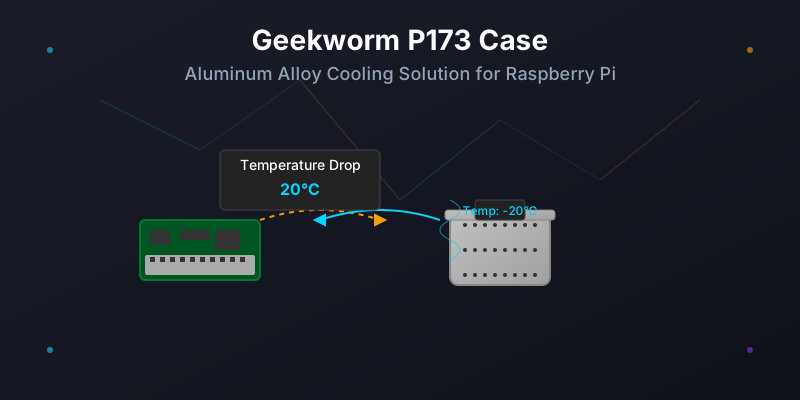
The temperature drop was remarkable—approximately 20°C reduction during intensive tasks. This improvement means my Pi can now operate at full performance without thermal throttling, and the risk of heat-related component failure has been significantly reduced.
Additional Benefits
Beyond the impressive thermal performance, the P173 case offers several other advantages:
- Enhanced durability - The aluminum construction protects against physical damage
- EMI shielding - Reduces electromagnetic interference
- No moving parts - Eliminates potential failure points associated with fans
- Quiet operation - Silent cooling with no fan noise
- Space-efficient - Compact design that doesn't add bulk
Real-World Performance Improvements
Since installing the P173 case, I've noticed several tangible improvements:
- Continuous operation - My Pi now runs stably 24/7 without overheating
- Consistent performance - No more thermal throttling during intensive tasks
- Extended lifespan - Lower operating temperatures mean longer component life
- Reliability - Fewer crashes and unexpected shutdowns
Considerations and Limitations
While the P173 case has been excellent for my needs, there are a few considerations:
- Price - More expensive than basic plastic cases
- Weight - Heavier than plastic alternatives
- Size - Slightly larger footprint than no case
- Compatibility - Ensure you get the right model for your Pi variant
Despite these minor considerations, the benefits far outweigh the costs, especially for Pi setups running continuously or under load.
Conclusion
The Geekworm P173 heavy-duty aluminum alloy case has been an excellent investment for my Raspberry Pi setup. The 20°C temperature reduction has eliminated thermal throttling, improved performance consistency, and increased my confidence in the Pi's long-term reliability.
If you're running a Raspberry Pi for server duties, intensive computing tasks, or continuous operation, and experiencing thermal issues, the P173 case is definitely worth considering. The passive cooling design, combined with the durability of aluminum construction, makes it a reliable solution for thermal management.
For anyone looking to extend the life of their Raspberry Pi while improving performance, the Geekworm P173 case delivers on its promise of superior thermal management. It's transformed my aging Pi Model B from a temperature-limited device to a reliable, cool-running system capable of handling demanding tasks.
For more technical specifications and details about the P173 case, check out the official Geekworm P173 wiki page.