Why a Separate Marketing Site?
JF Notify is a commercial WordPress plugin — a real product with a real URL (jfnotify.com). Tucking it under a portfolio page would send the wrong signal. Products deserve their own identity: a domain that's easy to remember, a landing page focused entirely on the one thing the product does, and documentation that doesn't compete for attention with other projects.
A dedicated site also gives the plugin room to grow. If I add pricing tiers, a changelog, user-facing docs, or a support contact page, each of those is a natural section of a product site — not something that fits neatly on a portfolio card.
Choosing Eleventy
I considered a few options before landing on Eleventy:
- WordPress — The irony of running a WordPress site to market a WordPress plugin wasn't lost on me. It's overkill for a mostly-static product page, and I'd rather not maintain a database and PHP runtime just to serve a few HTML files.
- Hugo — Fast and capable, but Go templates have always felt slightly at odds with how I think about markup. Nunjucks, which Eleventy supports natively, is closer to the Jinja2/Twig syntax I already know from other projects.
- Next.js — Solid choice if you need client-side interactivity or server-rendered pages. For a product marketing site, it's more framework than I need. The build output would be larger, and Vercel's free tier adds a dependency I'd rather avoid for something this simple.
Eleventy won because it stays out of the way. It takes templates and data, produces HTML, and doesn't prescribe a JavaScript framework, a build pipeline, or a specific hosting provider. The config is explicit and easy to follow. And for a site that's 95% static content, that's exactly what I wanted.
Project Structure
The repository follows a standard Eleventy layout:
jf-notify-website/
├── src/
│   ├── _includes/
│   │   ├── layouts/
│   │   │   └── base.njk        # Base HTML shell
│   │   └── partials/
│   │       ├── header.njk      # Site header & nav
│   │       └── footer.njk      # Site footer
│   ├── index.njk               # Landing page
│   ├── docs.njk                # Documentation page
│   ├── changelog.njk           # Version history
│   └── assets/
│       ├── css/
│       └── js/
├── functions/
│   └── contact.js              # Netlify serverless function
├── eleventy.config.js
└── package.json
The src/ directory holds everything Eleventy processes. Each top-level .njk file becomes a page. Shared markup lives in _includes/. Static assets are passed through to the build output unchanged.
Nunjucks Templating
Eleventy supports multiple template languages — Markdown, Liquid, Handlebars, plain HTML — but Nunjucks is my preference for layouts that mix logic with markup. The base layout wraps every page:
{# src/_includes/layouts/base.njk #}
<!DOCTYPE html>
<html lang="en">
<head>
  <meta charset="UTF-8">
  <title>{{ title }} | JF Notify</title>
  <meta name="description" content="{{ description }}">
  <link rel="stylesheet" href="/assets/css/main.css">
</head>
<body>
  {% include "partials/header.njk" %}
  <main>
    {{ content | safe }}
  </main>
  {% include "partials/footer.njk" %}
</body>
</html>
Each page sets its front matter at the top:
---
layout: layouts/base.njk
title: JF Notify — Instant Telegram Alerts for Gravity Forms
description: Get Telegram notifications the moment someone submits a Gravity Forms entry. No delays, no missed leads.
---

<section class="hero">
  <h1>Know the moment a form is submitted.</h1>
  ...
</section>
Front matter variables flow into the layout automatically — {{ title }} in the base layout resolves to whatever the page declares. This keeps each page focused on its own content without duplicating boilerplate.
The Eleventy Config
The eleventy.config.js file handles a few key jobs:
module.exports = function(eleventyConfig) {
  // Pass static assets through unchanged
  eleventyConfig.addPassthroughCopy("src/assets");

  // Watch for CSS/JS changes during development
  eleventyConfig.addWatchTarget("src/assets/css/");
  eleventyConfig.addWatchTarget("src/assets/js/");

  return {
    dir: {
      input: "src",
      output: "_site",
      includes: "_includes",
    },
    templateFormats: ["njk", "html", "md"],
    htmlTemplateEngine: "njk",
  };
};
addPassthroughCopy tells Eleventy to copy the assets/ directory to the build output without processing it. addWatchTarget means eleventy --serve restarts when CSS or JS changes — handy during development. The dir block maps Eleventy's expected input/output directories to the project layout.
Serverless Function for Contact
The one piece that can't be purely static is the contact form. Rather than wire up a third-party form service, I added a small serverless function that handles form submissions and forwards them via email:
// functions/contact.js
exports.handler = async (event) => {
  if (event.httpMethod !== "POST") {
    return { statusCode: 405, body: "Method Not Allowed" };
  }

  const { name, email, message } = JSON.parse(event.body);

  if (!name || !email || !message) {
    return { statusCode: 400, body: JSON.stringify({ error: "Missing fields" }) };
  }

  // Forward via email service (SendGrid, Resend, etc.)
  await sendEmail({ name, email, message });

  return {
    statusCode: 200,
    body: JSON.stringify({ success: true }),
  };
};
The function runs as a Netlify Function (or equivalent), invoked by the contact form's fetch call on the frontend. The static site stays fully static — the function only runs when someone actually submits the form. No server to manage, no polling, no cost at typical traffic levels.
Build and Deployment
The build command is simple:
npm run build   # eleventy --output=_site
npm run serve   # eleventy --serve (local dev with live reload)
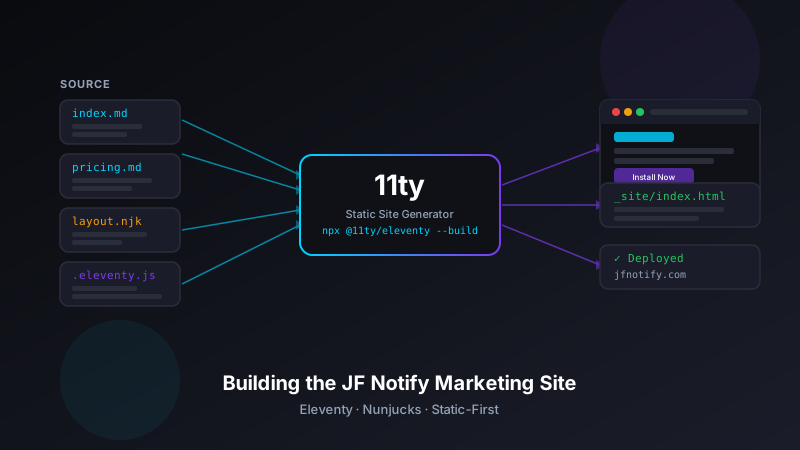
Eleventy processes all the templates in src/ and writes the output to _site/. The entire build on this project takes under a second — one of the reasons I keep reaching for Eleventy on small sites.
For deployment, the site connects to GitHub so every push to main triggers an automatic deploy. The _site/ directory is what gets served. No Node.js runtime needed at the edge — just HTML, CSS, and a CDN.
What I'd Do Differently
A few things I'd change if I were starting fresh:
- Eleventy's data cascade for shared metadata — Right now, some page-level metadata (like OG image paths and structured data) is hardcoded in each template. Eleventy's global data files (
_data/site.json) could centralize this so changes propagate everywhere automatically. - Markdown for documentation pages — The docs page is a Nunjucks file with inline HTML. Markdown + front matter would be easier to maintain as the documentation grows, and Eleventy handles the conversion natively.
- A changelog data file — Rather than maintaining the changelog as HTML in a template, a structured YAML or JSON file in
_data/would make it trivial to add entries without touching markup.
None of these are blockers for a v1 — they're the kind of improvements that make sense once you know what the site actually needs to do. The current setup ships fast and is easy to update, which was the priority at launch.
Static Sites for Product Marketing
There's a recurring pattern in side projects: the product itself (a WordPress plugin, a Chrome extension, a CLI tool) gets all the engineering attention, and the marketing site ends up as an afterthought — a page on the portfolio, a GitHub README, or a hand-rolled HTML file with no template system.
Eleventy makes it practical to give a product its own proper site without overcommitting to a framework. The learning curve is low if you know HTML and have seen any templating language before. The output is fast, portable, and trivially hostable. And because it's just files, you can move hosts, tweak the build, or hand it off to someone else without untangling framework-specific conventions.
For JF Notify, having a real product site at its own domain made the launch feel more serious — both to potential users and to me. It's a small thing, but the discipline of building a proper landing page forces you to articulate what the product actually does and who it's for, which is useful work regardless of traffic.
Conclusion
The jf-notify-website repository is the full source for the jfnotify.com marketing site. Eleventy, Nunjucks, one serverless function, and a CI/CD pipeline that gets out of the way. If you're building a product site and want to skip the framework overhead, it's a reasonable starting point.