The Problem
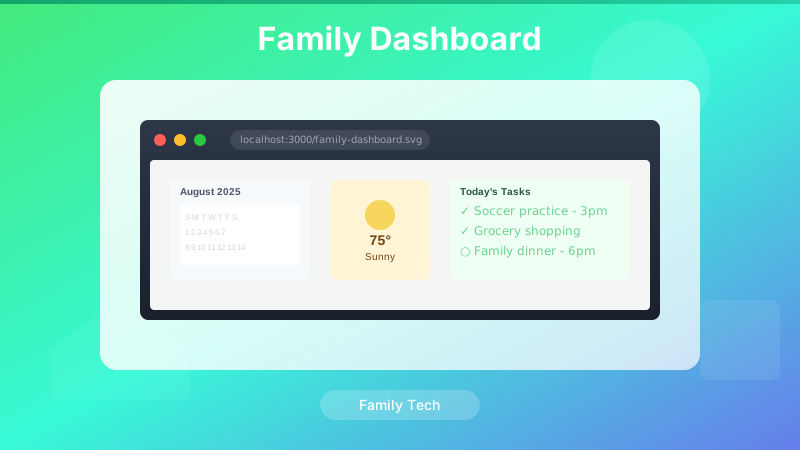
Every family has that moment of chaos: "What time is soccer practice?" "Is it going to rain this afternoon?" "Wait, didn't we have dinner plans tonight?" These questions get asked and re-asked because the answers live in different places — calendar apps on different phones, weather apps buried three taps deep, sticky notes on the fridge that nobody updates.
The Family Dashboard was built to eliminate the question. Mount it in the kitchen, always on, always current. The answers are on the wall before anyone needs to ask.
Design Constraints
The target hardware was a retired iPad that would otherwise sit in a drawer. That constraint shaped every decision:
- No app install — Web-based, runs in the browser, accessible via URL
- Large, scannable text — Readable from across the room without squinting
- Minimal interaction — It's a display, not a control panel; touch targets exist but the screen mostly just shows
- Auto-refresh — Data updates on a schedule without any user action
- Graceful degradation — When one data source fails, the rest keep working
Data Sources
The dashboard pulls from four data sources on a rotating refresh schedule:
CalDAV — Family Calendars
Calendar integration was the most critical feature. The dashboard needed to show events from multiple family calendars — each family member's schedule plus shared events. CalDAV is the open standard behind Google Calendar, Apple Calendar, and most calendar services, which made it the natural integration point.
The integration fetches events for the current day and the next two days, parsed and sorted by start time. All-day events surface at the top; timed events show their start time prominently. Family member names are color-coded so you can immediately see whose event is whose.
The trickiest part was timezone handling for all-day events. CalDAV all-day events are stored as date values without a time component, but different calendar implementations interpret "midnight" differently when the server and client are in different timezones. The v1 solution used a normalization pass — stripping timezone offsets from all-day events before display — which mostly worked but had edge cases at daylight saving transitions.
OpenWeather API — Current Conditions and Forecast
Weather was a deliberate scope limit. The dashboard shows:
- Current temperature and conditions
- Today's high and low
- Precipitation probability for the afternoon (the practical planning question)
- A brief three-day outlook
OpenWeather's free tier covers this comfortably. The API response is cached for 30 minutes — weather data doesn't change fast enough to warrant more frequent polling, and staying within free tier limits matters.
Tide Data
For a family near the water, tide times matter for planning beach trips, fishing, and kayaking. The dashboard pulls today's tide predictions — high and low times with heights — and displays them alongside a simple visual indicator of whether the tide is currently rising or falling.
Tide data is highly cacheable (predictions are published weeks in advance), so this API call happens once per day rather than on the standard refresh cycle.
Sunrise and Sunset
Sunrise and sunset times round out the daily planning information. Computed locally using the device's location (via a one-time permission prompt) rather than an API call, which eliminates a dependency and makes this data always available regardless of network connectivity.
Architecture
The dashboard is a single HTML file with vanilla JavaScript — no framework, no build step, no server-side rendering. This keeps deployment trivial: drop the file on any web server (or run it directly from a Raspberry Pi on the local network), navigate to the URL on the iPad, and add it to the home screen for full-screen kiosk mode.
// Refresh schedule
const REFRESH_INTERVALS = {
  calendar: 5 * 60 * 1000,    // Every 5 minutes
  weather: 30 * 60 * 1000,    // Every 30 minutes
  tides: 24 * 60 * 60 * 1000, // Once per day
  clock: 1000                  // Every second (for the time display)
};

function startRefreshCycles() {
  refreshCalendar();
  refreshWeather();
  refreshTides();

  setInterval(refreshCalendar, REFRESH_INTERVALS.calendar);
  setInterval(refreshWeather, REFRESH_INTERVALS.weather);
  setInterval(refreshTides, REFRESH_INTERVALS.tides);
  setInterval(updateClock, REFRESH_INTERVALS.clock);
}
Graceful Degradation
A dashboard that breaks silently when an API is down is worse than no dashboard — you don't know if the data is stale or just not loading. Each data source has an independent error state that renders a visible "Last updated: [time]" indicator when the most recent fetch failed:
async function refreshWeather() {
  try {
    const data = await fetchWeather();
    renderWeather(data);
    setLastUpdated('weather', new Date());
  } catch (err) {
    renderWeatherError('Weather unavailable — last updated: ' +
      formatTime(getLastUpdated('weather')));
  }
}
The calendar and weather panels fail independently. A weather API outage doesn't blank the calendar. A CalDAV server hiccup doesn't break the weather display. The dashboard always shows something useful.
What Works Well
- Family coordination — The dashboard has genuinely changed how the family coordinates. "Check the board" has replaced half the "what's going on today" conversations.
- Multi-calendar aggregation — Seeing all family members' events in one view (color-coded by person) surfaced scheduling conflicts that used to only emerge at the last minute.
- Weather context — The precipitation probability for the afternoon is the single most-used piece of information on the board. It answers the practical question ("do I need an umbrella?") without making you interpret a forecast.
- iPad compatibility — Running as a web app in Safari on an older iPad has been remarkably trouble-free. No app update cycles, no OS compatibility issues.
What Needed Work
- All-day event timezone edge cases — The normalization approach had gaps at DST transitions. This was addressed in subsequent versions with a more robust date-only parsing approach.
- Weather UI clarity — The v1 weather panel tried to show too much and ended up being hard to read at a distance. A redesign consolidated the view around the two questions that actually matter: what's it like right now, and is it going to rain?
- No visual refresh indicator — Users couldn't tell whether the data was 2 minutes old or 2 hours old. A subtle "refreshing..." animation during API calls and a persistent "last updated" timestamp addressed this.
Evolution — Now at v3.30
The v1 dashboard described here has been through many iterations since its initial August 2025 deployment. As of v3.30 (April 2026), the project includes smarter timezone and DST handling, a redesigned weather section built around the two questions that actually matter, tighter integration with the Raspberry Pi host, a modular architecture split across six dedicated JavaScript modules, and a fully rewritten weather commentary engine with 56 original one-liners. The GitHub repo (josefresco/family-dash) is actively maintained and open-source.
For the full story of how the dashboard evolved from v1 to v3.26, see Family Dashboard Evolution. For the v3.30 commentary overhaul specifically, see Writing My Own Weather One-Liners. If you want to run the dashboard yourself, the setup guide covers the complete deployment from clone to kiosk.
Conclusion
The best home automation projects solve a problem the whole household has, not just the person who built it. The Family Dashboard passed that test — it gets used by everyone, every day, without anyone needing to understand how it works.
The architecture is deliberately simple: vanilla JavaScript, standard APIs, a single HTML file. The complexity lives in the edge cases (timezone normalization, API failure handling, cache management), not in the framework or the build pipeline. That simplicity has made iterating on it straightforward as real-world usage revealed what needed changing.
The full source is on GitHub. If you have an old tablet gathering dust and a family that keeps asking "what's the plan today?", it's a worthwhile weekend project.